
Changes in version 3.00
Creating companies
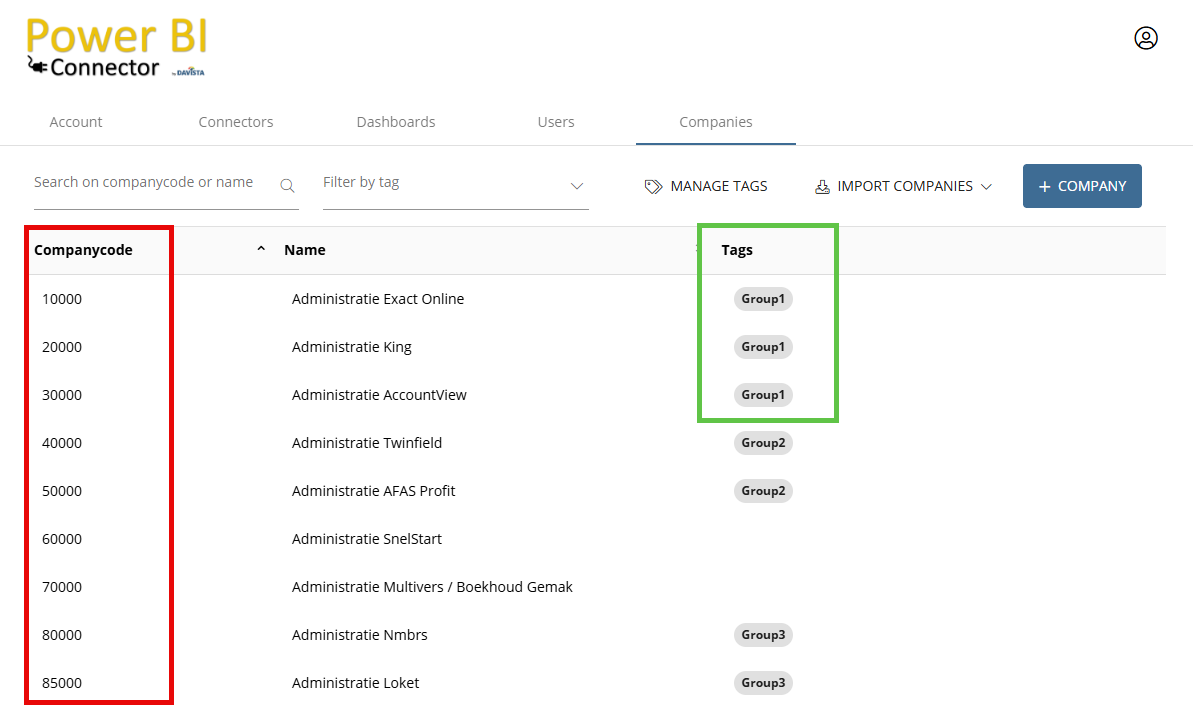
Instead of manually creating companies at https://portal.powerbiconnector.nl, it is now also possible to import companies from Exact Online. This is explained in more detail in chapter 1.6 Companies.
Import method Power BI
When importing into Power BI, you enter the companycode(s), for example “10000” for one company or “10000,10001,10002” for multiple companies (comma‑separated, without spaces). This is still supported.
Instead of specific companycodes, you can now also use “all” for all companies, or “tag:group1” or “tag:group1,group2” for all companies with those tag(s). The condition is that your user account is enabled for these companies.
Changes in tables
- Debtors and Creditors table: extended with the columns Phone, Email, Website, VatNumber, CurrencyID, and VatID.
- In the SalesOrders, GoodsDeliveries, PurchaseOrders, PurchaseInvoices, GoodsReceipts, Subscriptions, ItemAssortments, and AbsenceHours tables, records were sometimes missing when a header contained more than 60 lines. This has now been resolved.
- Projects table: import speed improved and extended with the BudgetType column.
- ProjectActivities table: extended with the BudgetQuantity column.
- InvoiceTerms table has been added.
- PurchaseOrders table: extended with the SalesOrderLineID column (for linking with the SalesOrders table).
- Employees table: extended with the EmployeeNo column.